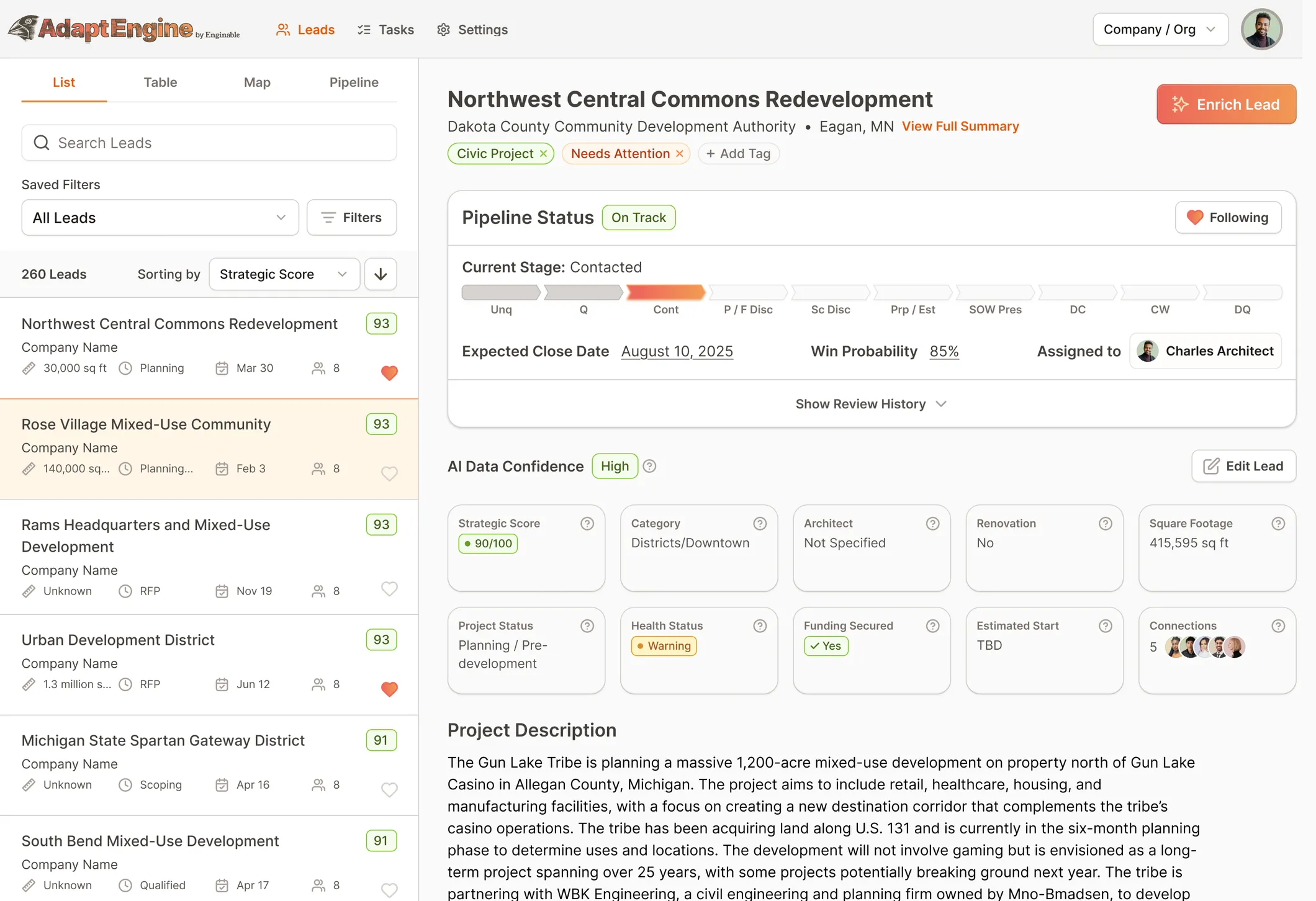
I designed the product and design system for AdaptEngine, an AI platform that helps architecture and engineering firms win work.

Design Systems
AI Product Design
UX/UI
Client
Enginable
Project Timeline
May 2025 to early 2026 (part-time)
My Role
Product Design
The Team

Product Designer (Me)

Product Manager

Engineering Team

Overview

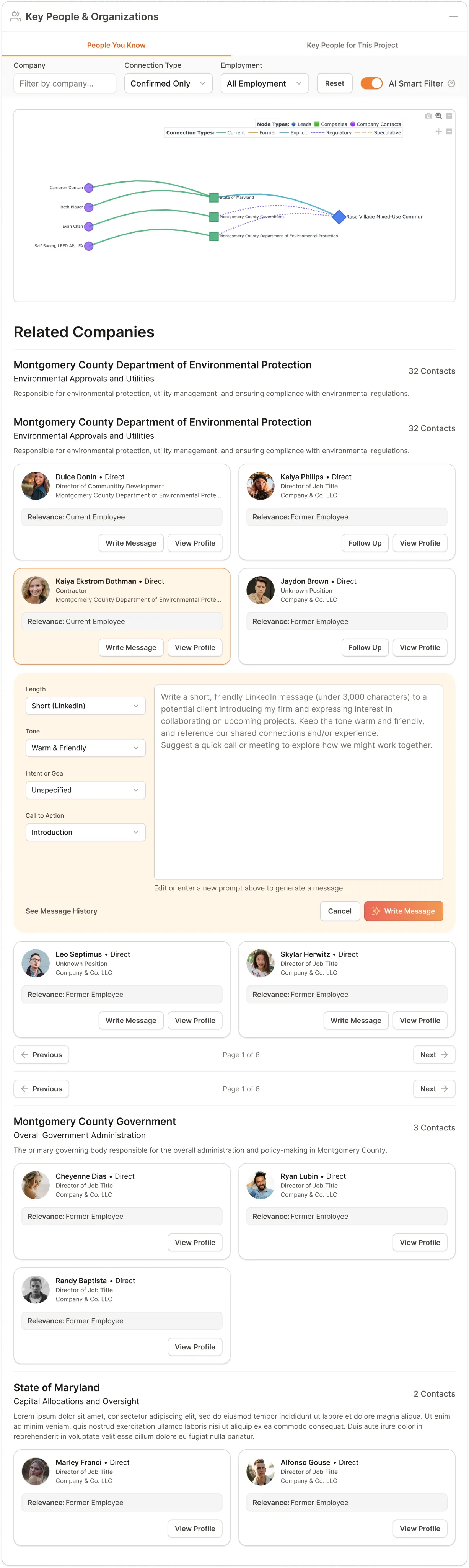
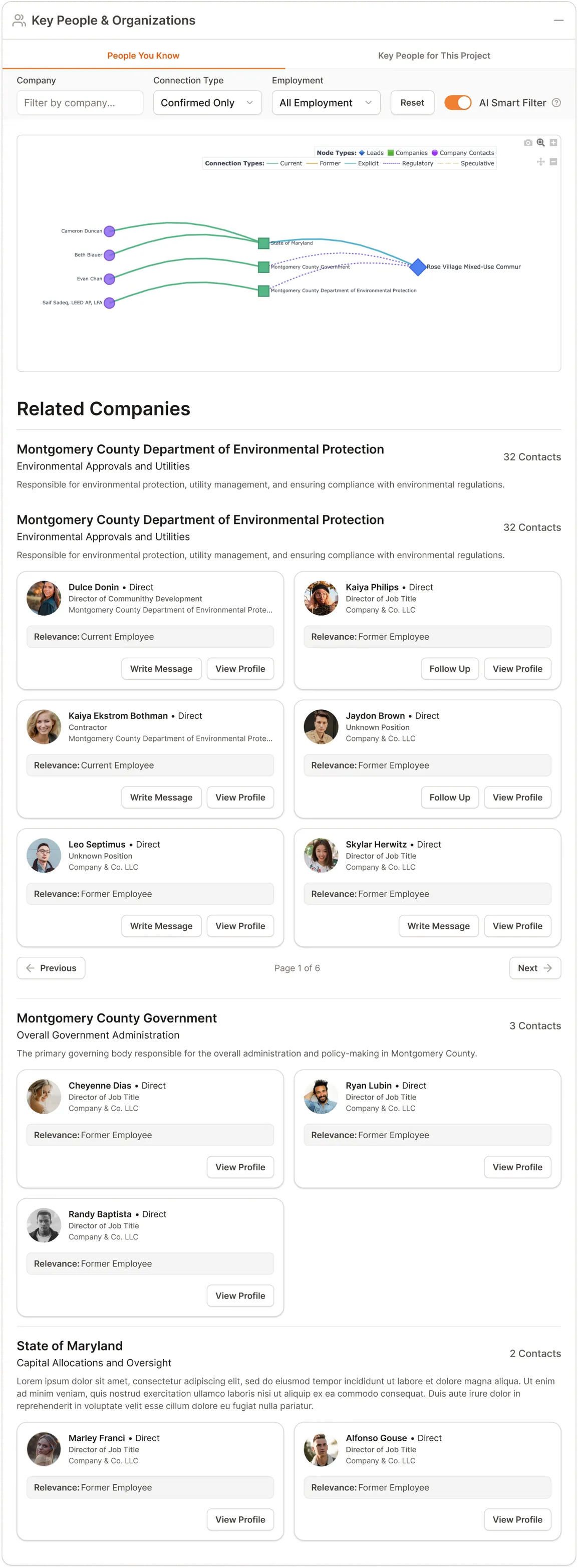
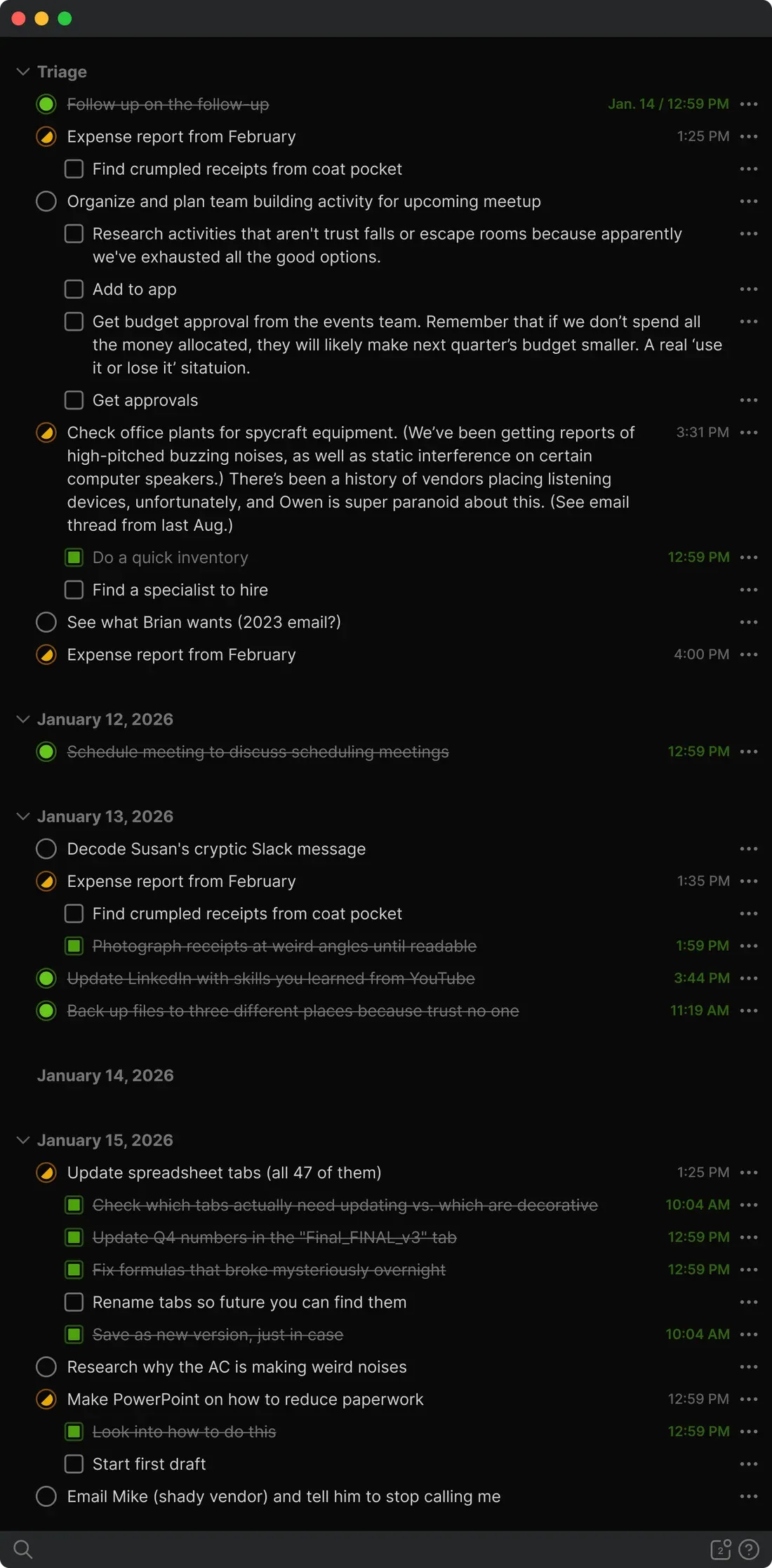
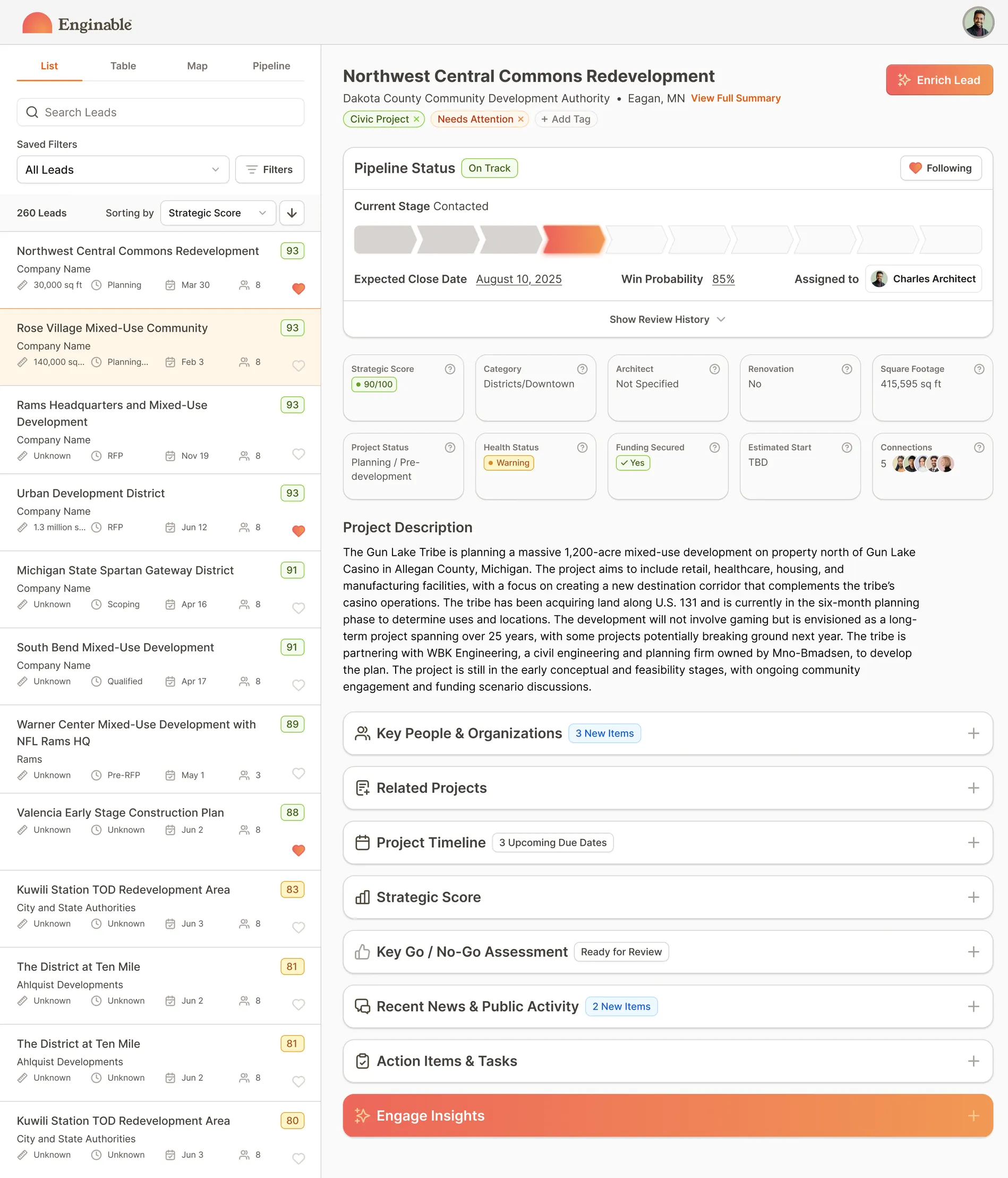
AdaptEngine is an AI platform that helps architecture and engineering firms find early project opportunities, see who they already know related to the project, and decide what leads to pursue. When I was brought on to this project, the platform was a clunky, LLM-generated proof of concept. I worked closely with engineering, product, and company leadership to design a consistent, professional product build around a comprehensive design system.

Results

  • Established foundational token-based design system: color system, typography, spacing, effects, scoring variables, etc.
  • Built a library of reusable components including buttons, inputs, score meters, tooltips, avatars, form controls, and more.
  • Created domain-specific patterns for key functions, for example lead scoring and pipeline visualization.
  • Conducted a full component audit to identify inconsistencies and consolidate redundant UI elements.
  • Collaborated with engineering on implementation and incorporated feedback from beta testers.

From Prototype to Product

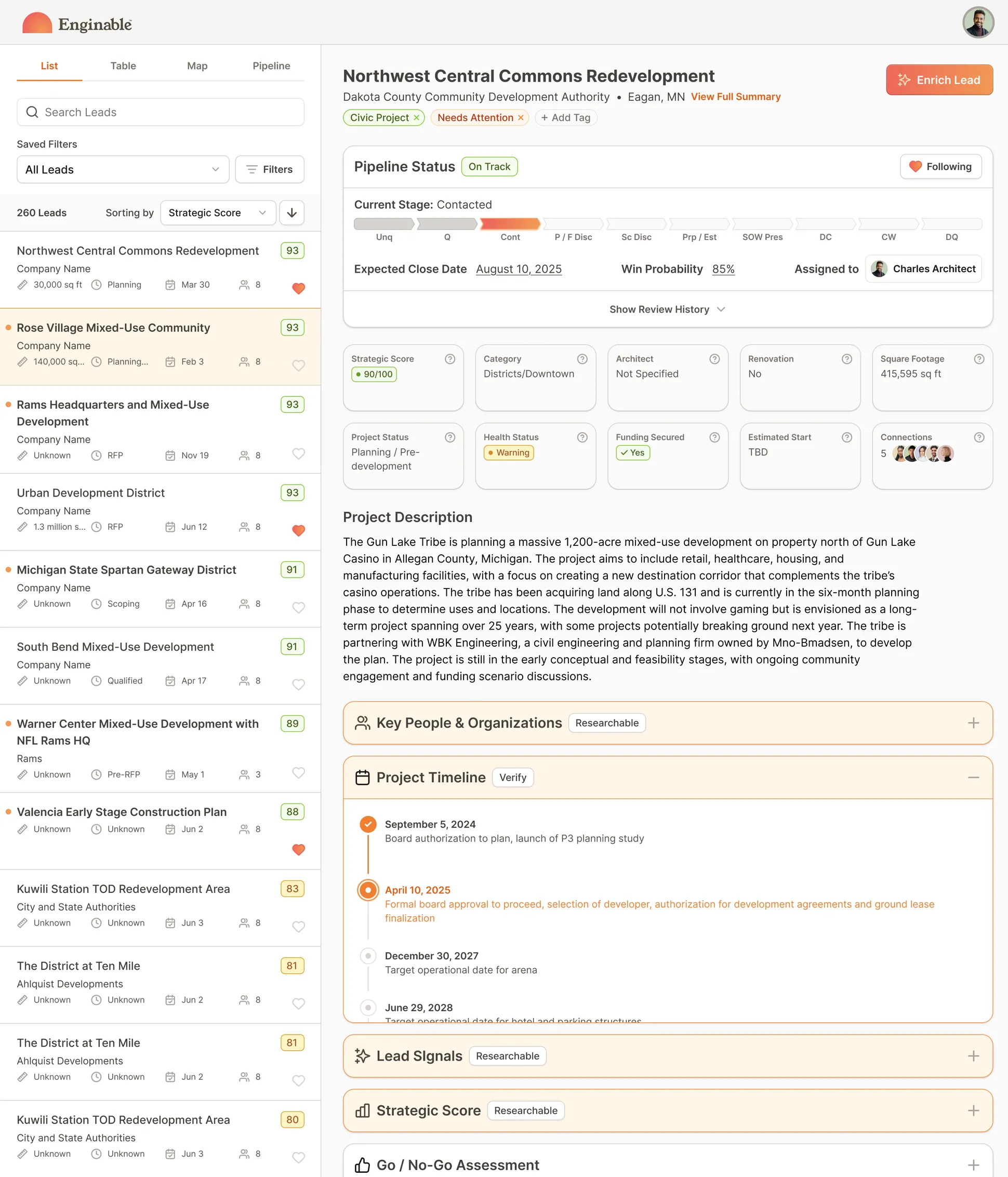
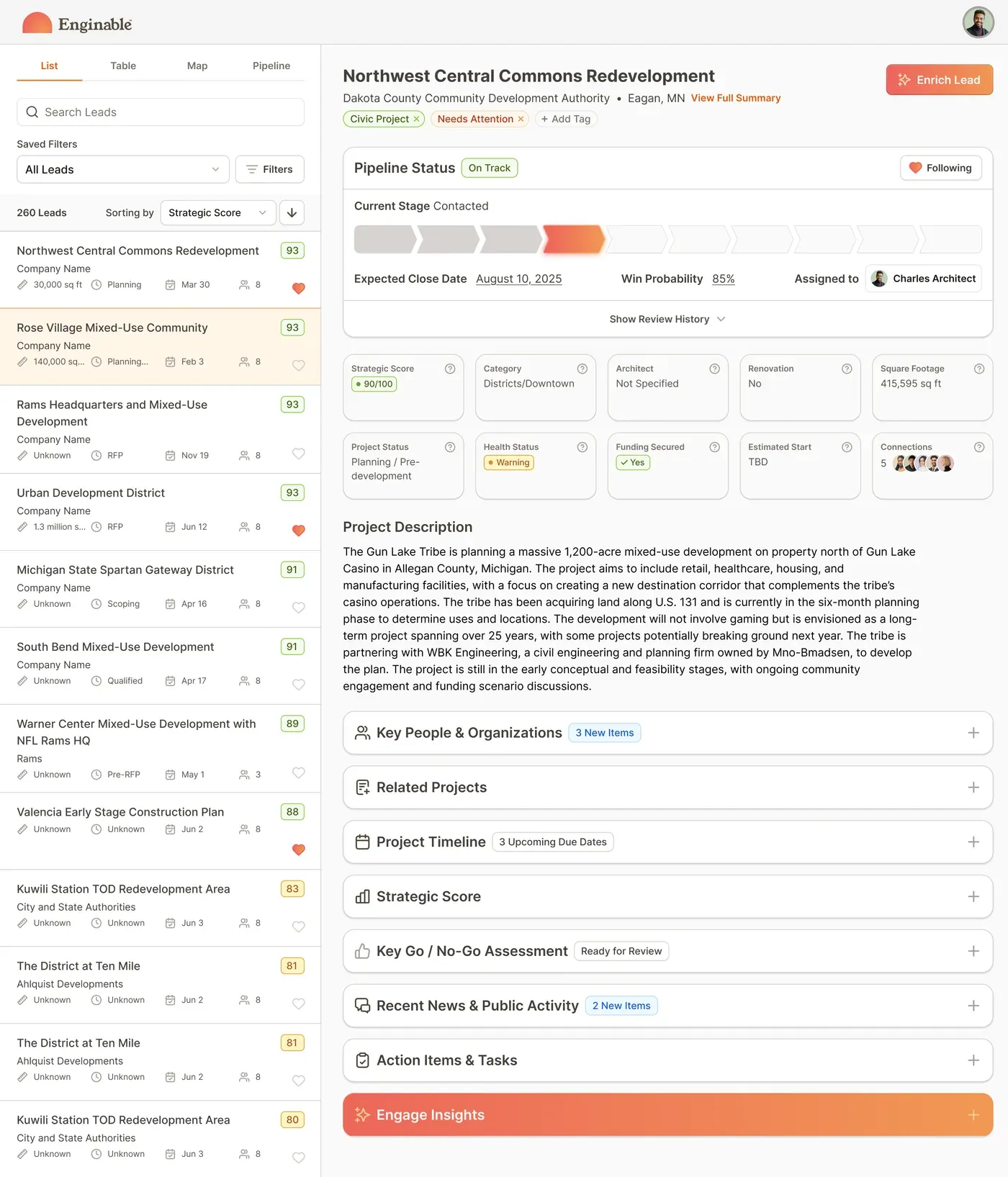
AdaptEngine began as a proof of concept tool created by LLM tools. I was brought onto the team to take the concept and turn it into a professional looking and user-focused product. Some of the key components I designed include the active pipeline visual, the key stats dashboard, and the project modules.

Making Sense of Project Scores

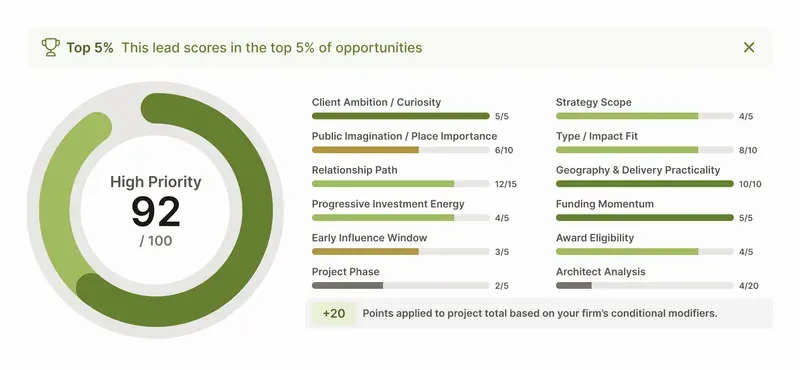
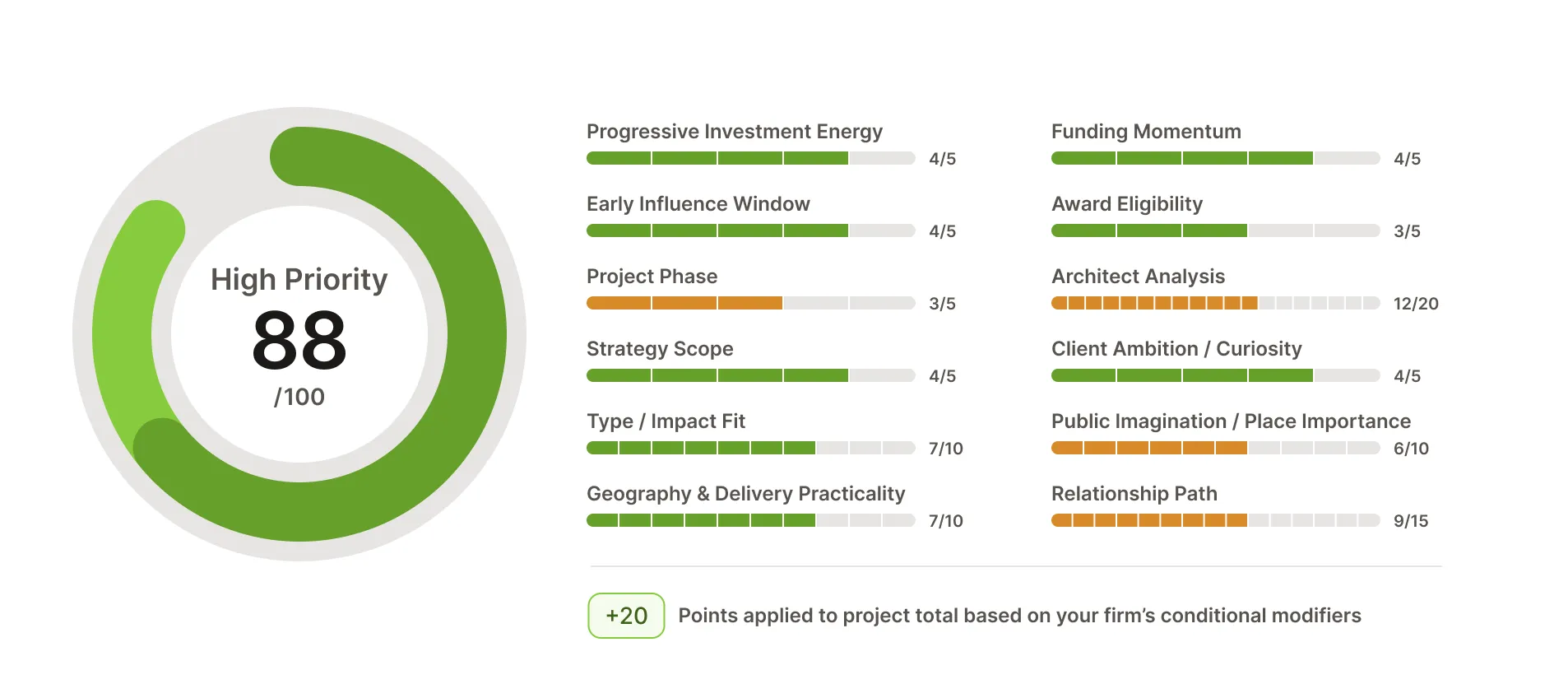
One of the key modules I designed was the Strategic Score breakdown. The strategic score is customized for each specific company, based on a firm’s unique scoring template. In other words, it’s not meant to show what is a good project in general, but rather, is this a uniquely good project for our company to pursue?

Every firm scores leads against its own 100-point rubric, then adds or subtracts score modifiers based on specific criteria that are important to the company. The upshot of this is we were often getting scores over 100, which reads to the user as a broken percentage. For these use cases, I pushed the team to use 100+ notations in cases where the quick view score was shown. For the full scoring breakdown module, I designed a two-tone color graph to make it more clear visually the separation between the base score and its modifier.
Knowing What’s a Guess

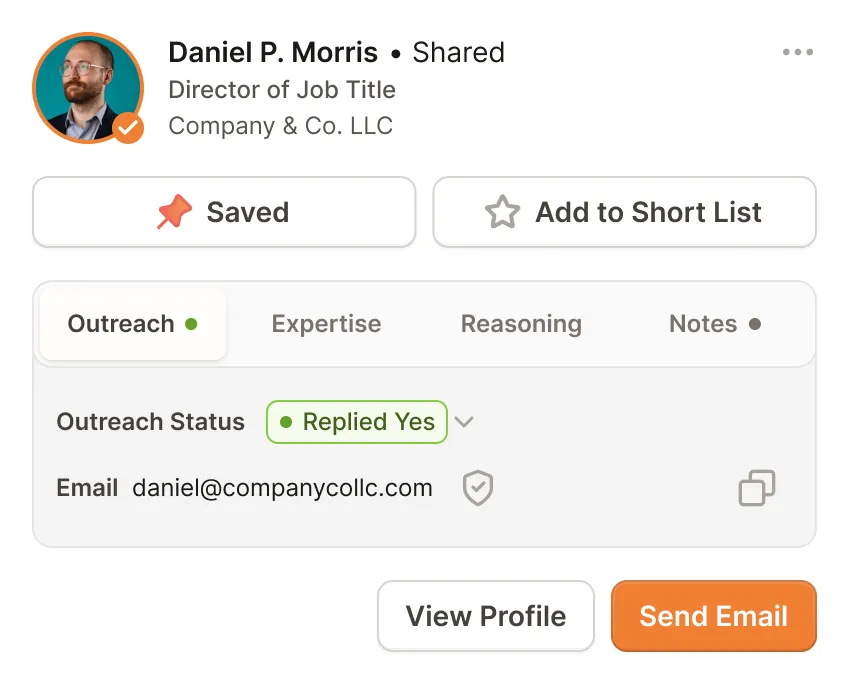
People act on this data, so they need to know what data points have been human-confirmed and what the AI inferred. I worked with the team to come up with UI indicators to help the user gain better confidence of which data points were confirmed.

The system makes use of organization-wide network effects, where for example, an email address confirmed by one person will show up as human-confirmed to another user at that same organization.

Staffing a Team for a Project Bid

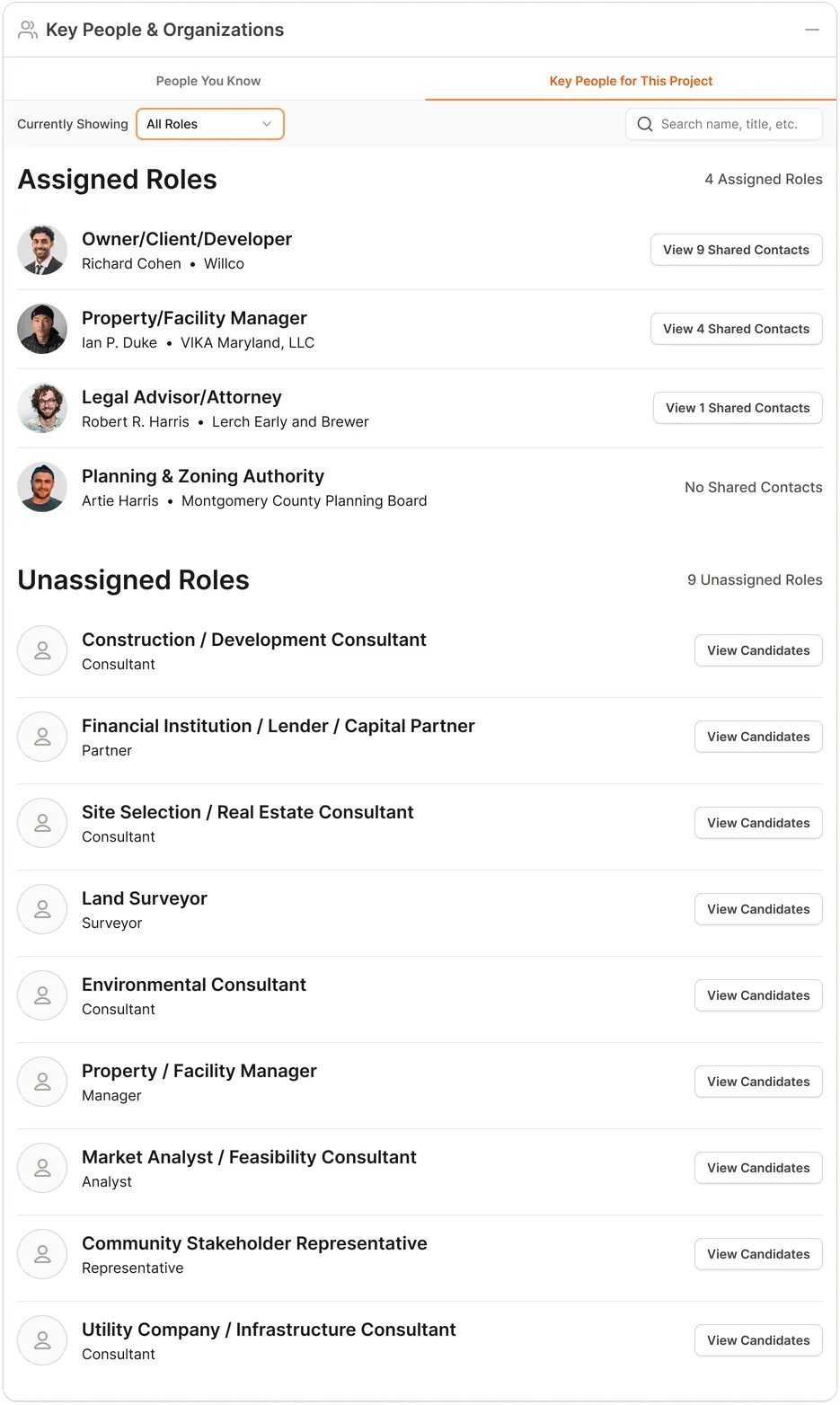
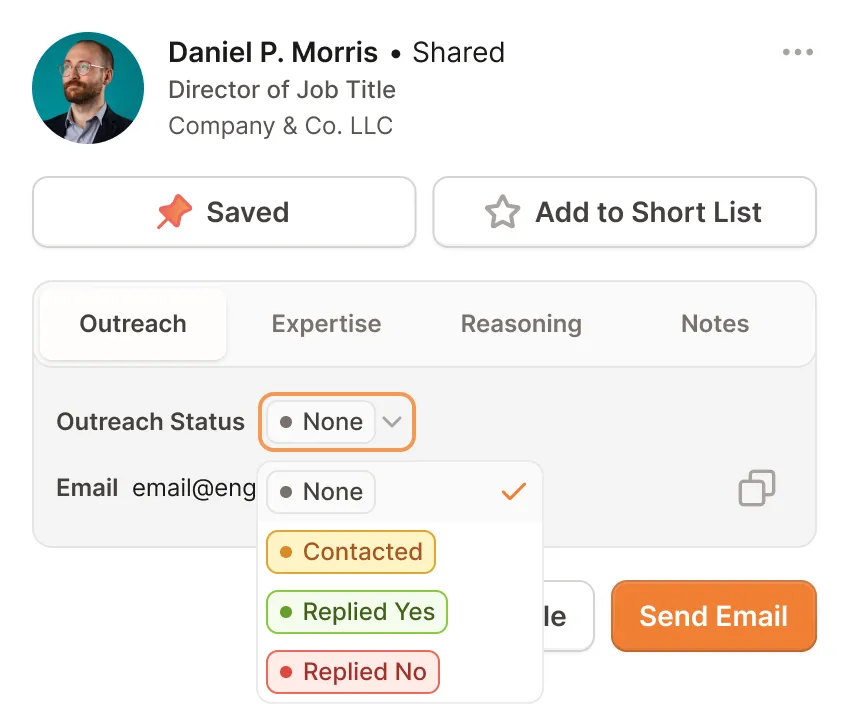
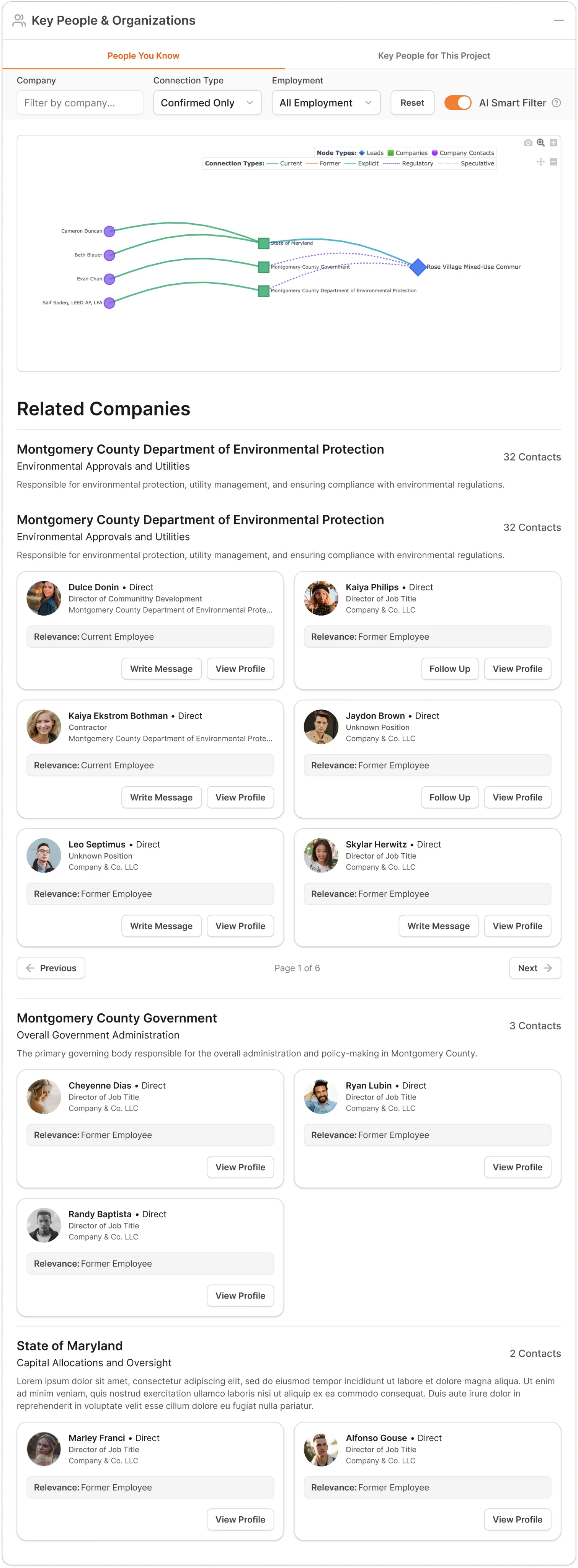
I designed the Teaming module, which allows a company to use their internal network to fill in all the roles for a potential project bid. This included user flows for AI-assisted outreach, slotting roles on a per-project basis, researching potential candidates using internal company and LinkedIn data, and leaving organization-wide status and notes updates.

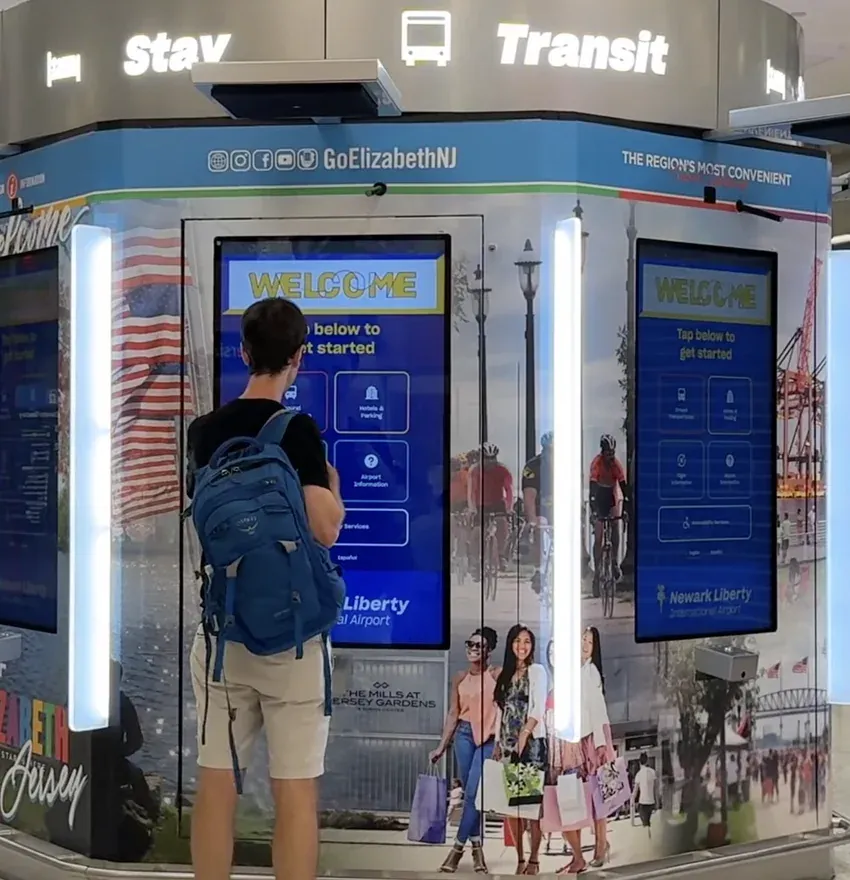
A traveler using the Newark Liberty airport wayfinding kiosk, a tall glass-walled booth with welcome screens
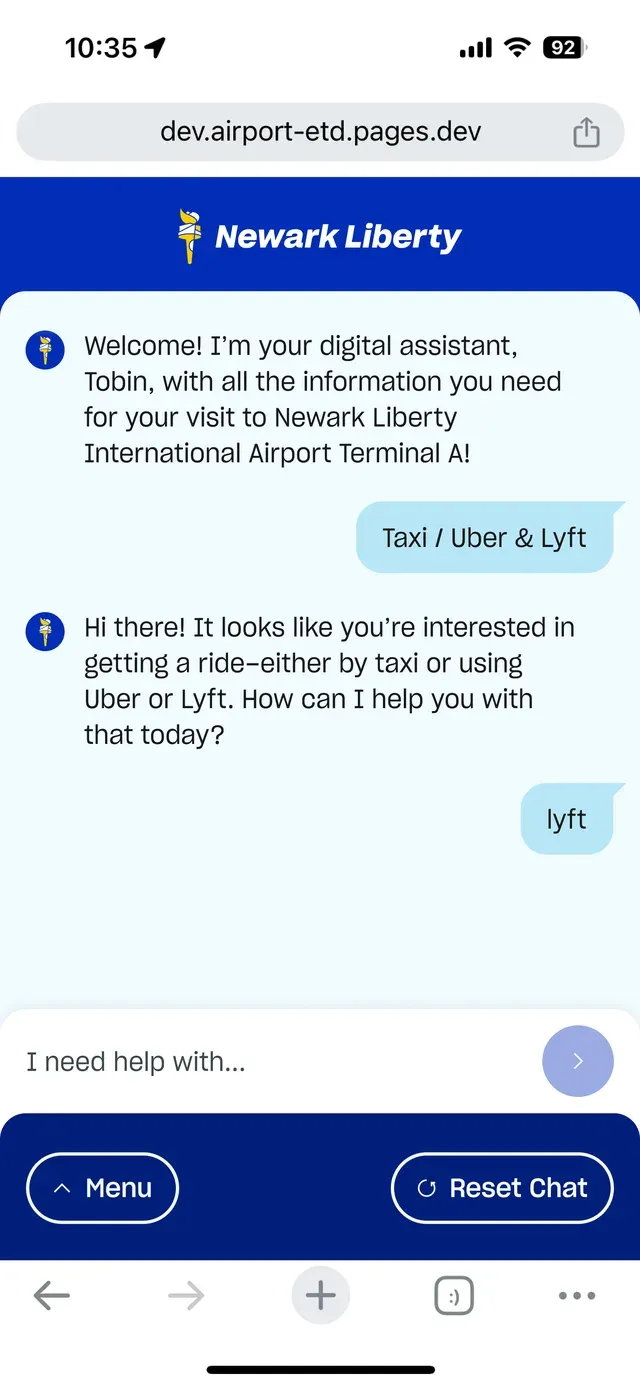
Newark Liberty chat assistant on a phone offering help with a taxi or Lyft ride
Kiosk directions screen with a step-by-step NJ Transit route to the AirTrain

Next Project

Conversational AI Airport Kiosk

Check It Out